
Control Centre - Your Flarelight Dashboard
What is Control Centre?
Control Centre is your central dashboard for managing all aspects of your Flarelight subscription. It's where you can view and manage your subscriptions, licenses, and marketplace purchases across the entire Flarelight ecosystem.
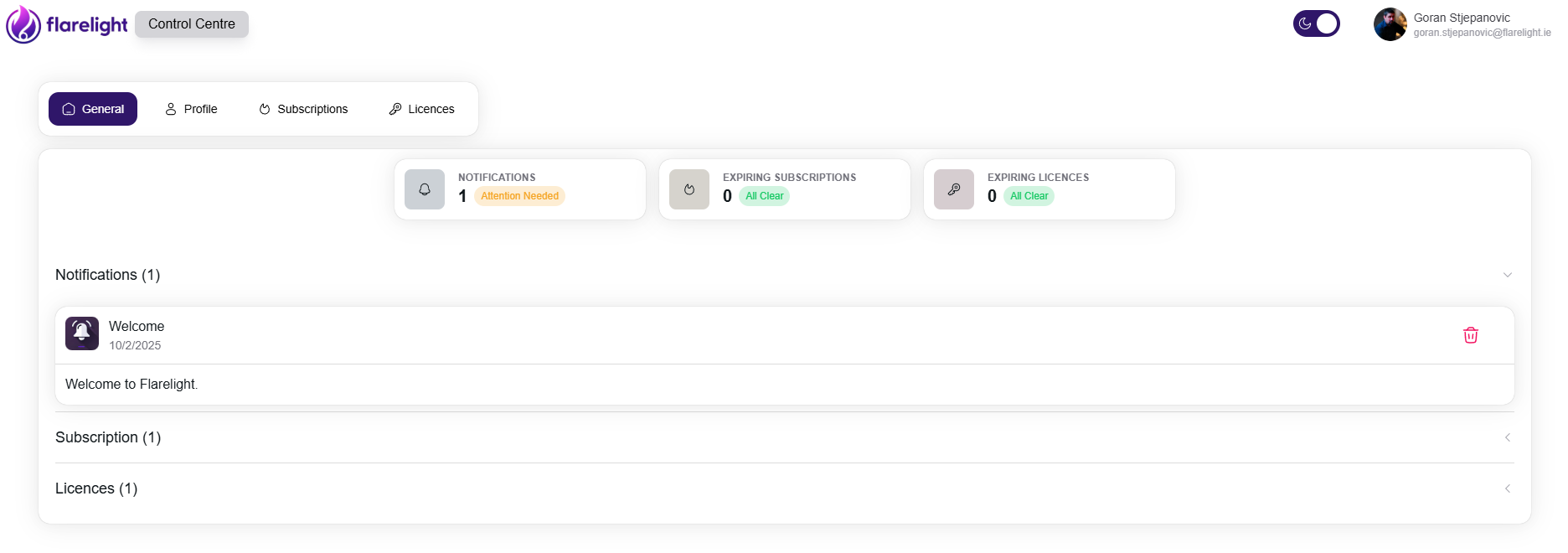
What You Can Do
- Manage Subscriptions: View, upgrade, cancel, and monitor your Flarelight service subscriptions
- Handle Licenses: Purchase, upgrade, and manage software licenses for your team
- Access Services: Navigate directly to your active Flarelight applications
- Monitor Usage: Track your subscription status and expiration dates
Key Features
💳 Cloud Subscription Management
- View All Subscriptions: See all your active Flarelight services in one place
- Upgrade Plans: Easily upgrade to higher tiers as your needs grow
- Billing Management: Monthly and annual billing options
- Payment History: Track all your payments and invoices
📋 OnPremise License Management
- View All License Subscriptions: View all your license subscriptions
- Purchase New Licenses: Purchase new licenses for your team
- Upgrade Licenses: Upgrade your licenses to higher tiers
- Monitor Expiration: Keep track of license expiration dates
How to Use Control Centre
Getting Started
- Sign In: Log in with your Flarelight account credentials
- View Dashboard: See an overview of all your subscriptions and licenses
- Check Notifications: Review any important updates or alerts
- Navigate Services: Click on any service to access your Flarelight applications
Managing Your Subscriptions
- View Subscriptions: Go to the Subscriptions tab to see all your services
- Upgrade Service: Click "Upgrade" to move to a higher tier
- Cancel Subscription: Access subscription details to cancel if needed
- Access Service: Use the "Go to Service" button to open your application
Managing Licenses
- View Licenses: Check the Licenses tab for all your license information
- Purchase New Licenses: Buy additional licenses for your team
- Upgrade Licenses: Move to higher-tier licenses when needed
- Monitor Expiration: Keep track of license expiration dates
Dashboard Overview
Main Dashboard
The main dashboard shows you:
- Active Subscriptions: All your current Flarelight services
- Active Licenses: Current licenses and expiration dates
- Notifications: Important updates and system alerts
Notifications
Stay informed with real-time notifications about:
- Subscription renewals and payments
- License expiration warnings
- Service updates and maintenance
- New features and announcements
Support & Help
Common Tasks
- Upgrade Subscription: Need more features? Upgrade your plan easily
- Cancel Subscription: Cancel your subscription if needed
- Access Services: Quick navigation to all your Flarelight services
Getting Help
- Documentation: Access comprehensive guides for all services
- Contact Support: Reach out to support@flarelight.io for assistance
- Community: Connect with other Flarelight users at Flarelight GitHub
Need Help? Control Centre is designed to be intuitive and user-friendly. If you have any questions about managing your subscriptions or licenses, our support team is here to help at support@flarelight.io.